Shopify B2B Is Now Available on Every Plan: What It Means for Merchants (and the Playbook to Launch It)

Shopify B2B Is Now Available on Every Plan: What It Means for Merchants (and the Playbook to Launch It)

On April 2, 2026, Shopify extended its native B2B features to merchants on Basic, Grow, and Advanced plans — ending nearly four years of Plus-only access. Here’s why the announcement matters, what it unlocks for Southeast Asian merchants, and a step-by-step playbook for getting your first wholesale buyer live.

The news, in one line

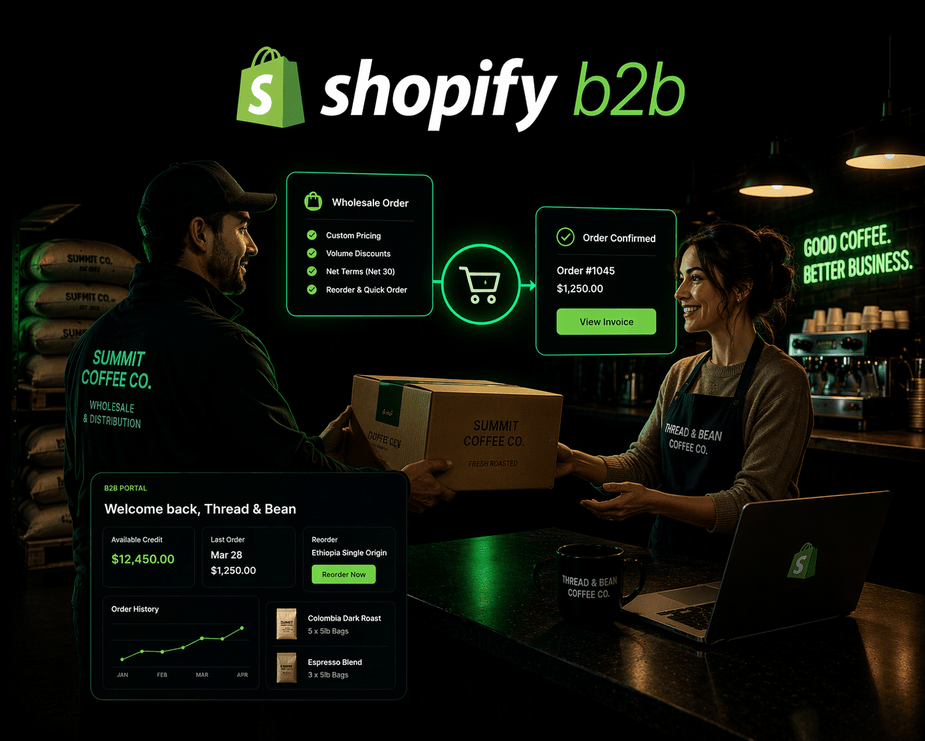
Shopify B2B — company profiles, custom catalogs, volume discounts, quantity rules, vaulted credit cards, and payment terms — is now available at no extra cost on Basic, Grow, and Advanced plans. Previously, these features were exclusive to Shopify Plus. 

For nearly four years, native B2B lived behind the Plus paywall. That paywall was the single biggest structural reason DTC-first brands didn’t touch wholesale. It wasn’t that the demand wasn’t there — it was that doing it properly meant either replatforming or stitching together third-party apps. Both were expensive. Both killed momentum. 

That reason is now gone. What replaces it is a harder problem most merchants aren’t ready to face: designing a B2B offer worth buying. 
Why Shopify opening B2B to every plan matters

The global B2B ecommerce market is worth roughly $36 trillion — an order of magnitude larger than DTC. Most brand founders don’t feel the gap because their entire operating stack (ads, funnels, attribution, CRM) is built for the consumer. Procurement lives in a different universe. 

But the signals are almost always there. A retailer DMs asking for wholesale pricing. A clinic chain places five identical orders in a month. A corporate gifting buyer asks for an invoice with payment terms. Most merchants treat these as edge cases. They’re not edge cases. They’re the opening of a second business inside the first one. 

Shopify’s own data on merchants already running B2B is hard to ignore: 

  • Up to 4.1x reorder frequency versus DTC 
  • Up to 33% increase in self-serve orders within six months 
  • 40% higher average customer spend (Snyder Performance Engineering case) 
  • 25% reduction in back-office time 

Those numbers don’t come from a new acquisition channel. They come from unlocking revenue that was already trying to happen. 

What's now included on Basic, Grow, and Advanced plans

Shopify merchants on non-Plus plans now have access to: 

  • Company profiles for wholesale buyers (separate identity from DTC customers) 
  • Up to three custom catalogs with tailored pricing per buyer group 
  • Volume discounts and quantity rules (tiered pricing, minimum order quantities) 
  • Vaulted credit cards for repeat-order convenience 
  • Payment terms — Net 15, Net 30, Net 60, and custom arrangements 
  • Native integration with Shopify Payments, Shopify Flow, and Shopify Markets 

Everything runs from one admin. One source of truth for both DTC and B2B. No plugins required. 

What's still exclusive to Shopify Plus

For brands with complex wholesale operations, Plus retains meaningful advantages: 

  • Unlimited custom catalogs (vs. the three-catalog cap on lower tiers) 
  • Direct catalog assignment to specific companies and company locations 
  • Partial payments and deposits 
  • Advanced B2B checkout customization 
  • The full suite of enterprise B2B workflows 

The takeaway: Plus remains the right home for brands with dozens of wholesale accounts across multi-location buyers. For everyone else — the 90% whose B2B ambition starts with “a handful of clinics,” “twenty boutique resellers,” or “a growing list of cafes” — three catalogs is more than enough to test, prove, and scale before replatforming becomes a real question. 

What this unlocks for Southeast Asian merchants

Most SEA-based Shopify brands are on Basic, Grow, or Advanced. Plus adoption in the region remains concentrated among enterprise merchants. Which means native B2B, until this rollout, was effectively out of reach for the majority of brands who would benefit from it most — DTC-first operators with growing trade demand they didn’t know how to serve. 
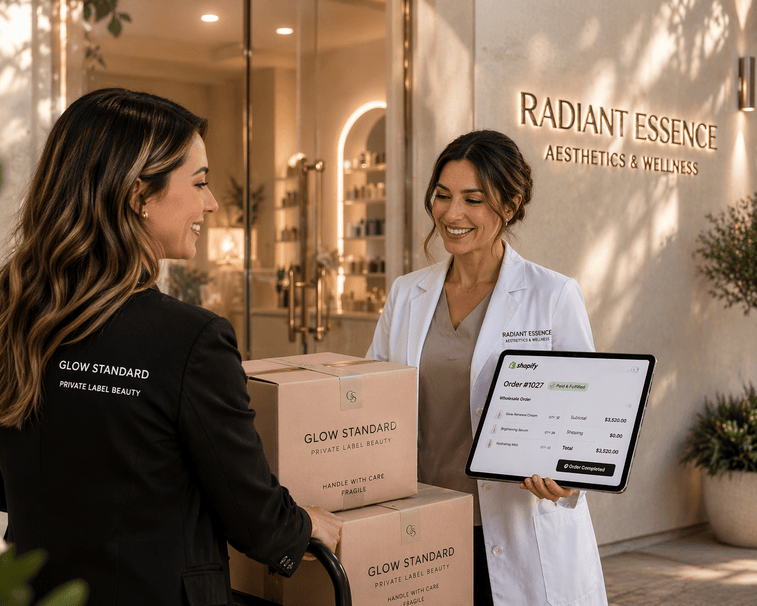
Here’s what that looks like on the ground. 

The skincare brand getting DMs from clinics. A Manila-based skincare label notices aesthetic clinics and spas ordering in bulk through regular checkout, then asking for invoices and wholesale pricing after the fact. Instead of building a messy workaround, they spin up a B2B catalog with per-unit pricing tiers and Net 30 terms. Each clinic gets a company profile. Orders now self-serve, invoices go out automatically, and the founder stops being the accounts receivable department. 

The coffee roaster selling to cafes. A specialty roaster outside Metro Manila has fifteen cafes on a Viber order list, each messaging their weekly orders to one sales coordinator. They move that list onto a B2B catalog with per-kilo pricing, a 5kg minimum, and vaulted card payment. Cafes log in, reorder their usual, and get dispatched the same day. The sales coordinator stops managing spreadsheets and starts calling prospects. 

The apparel brand selling to boutiques. A streetwear label building a reseller network creates a tiered catalog — Tier 1 at 40% off RRP with a 50-unit quarterly commitment, Tier 2 at 30%. Each boutique logs in, sees only their pricing, and places orders without renegotiating every season. Sell-through data starts flowing in, and the brand finally learns which retailers are actually moving product versus sitting on inventory. 

The wellness brand doing corporate gifting. A supplements brand gets a Q4 inquiry from a corporate wellness program for 500 curated bundles. Instead of handling it over email with a spreadsheet, they create a company profile for the client, a private catalog with the negotiated bundle price, and invoice-based payment terms. Next year, the same client reorders themselves. A new revenue line exists inside the same store. 

None of these require replatforming. None require an agency to build a custom portal. All of them require the brand to decide what its B2B offer actually is.

The trap: the tech is easy. The commercial design isn't.

This is the part most merchants will miss. 

Turning on native B2B takes an afternoon. Designing a B2B offer that’s actually worth buying takes real thinking. What’s your MOQ? What’s your wholesale margin structure? Who qualifies for Net 30 and who pays upfront? What does pricing look like for a boutique committing to a quarterly order versus one reordering ad hoc? Do you ship to multi-location companies, and how do you handle split invoicing and taxes? 

These are commercial questions, not technical ones. Shopify just removed the technical excuse. The brands that win the next 24 months in Southeast Asian commerce will be the ones who treat B2B as a product, not a feature. 

If you’d rather skip the DIY on the commercial design, LeapOut runs an AI Commerce Readiness Audit that covers exactly this — pricing tiers, payment terms, buyer qualification, catalog architecture, and how to set it up inside Shopify without tripping over edge cases. Typical engagement: 2–3 weeks, ₱80K–₱150K fixed fee. 

The B2B Launch Playbook: From Zero to First Wholesale Buyer on Shopify

If you’re reading this and recognizing your business in the scenarios above, here’s the practical sequence. It’s written to be done by a founder or ops lead in roughly 2–4 weeks of focused work. 

Phase 1 — Design the commercial offer (before you touch Shopify) 

Every B2B failure on Shopify traces back to skipping this phase. The technical setup is worthless without these decisions. 

Step 1: Audit your existing signals. Pull the last 90 days of orders. Flag anything with: 

  • Business email domains (non-gmail/yahoo/etc.) 
  • Unusually large quantities for a single customer 
  • Repeat bulk buys from the same address 
  • Manual requests for invoices, POs, or payment terms 
  • Shipping to commercial addresses (clinics, offices, stores) 

Your B2B pipeline already exists. You just haven’t been reading it. 

Step 2: Define your wholesale offer on one page. If you can’t fit it on a page, you don’t have an offer yet. At minimum, decide: 

  • Which SKUs are available wholesale (not always the full catalog) 
  • Your margin structure (typical starting point: 40–50% off RRP for wholesale) 
  • Minimum order quantity (per SKU? per order value? both?) 
  • Payment terms by buyer tier (new accounts usually pay upfront; established accounts earn Net 30) 
  • Shipping terms (do you ship freight-collect, or is freight built in?) 

Step 3: Decide who qualifies. Not every customer should get wholesale pricing. Common qualification gates: 

  • Valid business registration (BIR certificate in PH, ABN in Australia, etc.) 
  • Minimum first-order value 
  • Reseller certificate or trade license where applicable 
  • Industry fit (e.g., only licensed aesthetic clinics for skincare) 

Write the qualification rule down. You’ll need it during buyer approval. 

Phase 2 — Technical setup in Shopify 

Once Phase 1 is decided, this phase is mostly execution. 

Step 4: Enable B2B in your Shopify admin. In Settings → Customer accounts, confirm new customer accounts are enabled (B2B requires them). Then navigate to the B2B section and activate it. On Basic, Grow, and Advanced, you’ll see company-related settings unlock automatically. 

Step 5: Create your custom catalog(s). You have up to three. A sensible starting allocation: 

  • Catalog 1 — Standard Wholesale: default tier, 40% off RRP, Net 15 on approval 
  • Catalog 2 — Volume Wholesale: larger commitments, 45–50% off RRP, Net 30 
  • Catalog 3 — Strategic / Key Accounts: custom-negotiated pricing per account 

If you only need one catalog to start, start with one. Don’t build complexity you won’t use. 

Step 6: Configure quantity rules and volume discounts. Set minimums at the product level (e.g., “sold in cases of 12”), and configure volume breaks (e.g., “5% off at 50 units, 10% off at 200 units”). Quantity rules prevent buyers from ordering sub-case amounts. Volume discounts reward scale. 

Step 7: Set payment terms. Create templates: “Upfront” (default for new accounts), “Net 15,” “Net 30.” Attach them per company profile. Use vaulted credit cards for recurring reorder buyers who want one-click checkout. 

Step 8: Set up tax and shipping for B2B. B2B often has different tax treatment (exempt, reverse-charged, or VAT-registered). Shopify’s tax engine handles most scenarios, but for regulated product categories (supplements, alcohol, cosmetics), verify manually. Shipping rates for B2B are usually per-kilogram or per-pallet, not per-order — configure a B2B-specific shipping profile. 

Phase 3 — Onboard your first buyers 

Step 9: Invite manually first. Open self-serve second. For the first 10–20 accounts, invite them manually. Send a short email with login instructions and a one-page summary of their terms. Manual onboarding lets you catch edge cases before opening the floodgates. 

Step 10: Add a wholesale application form. Once manual is working, add a “Wholesale / Trade” page to your site with an application form capturing: business name, registration number, industry, intended order volume, and contact details. Route applications to an admin who approves or rejects within 48 hours. 

Step 11: First-week QA checklist. Before you tell anyone publicly: 

  • Place a test order as a logged-in B2B buyer on each catalog 
  • Confirm pricing displays correctly (no retail leak) 
  • Confirm the invoice generates with the right payment terms 
  • Confirm the order syncs to your fulfillment and accounting systems 
  • Confirm shipping rates and tax are correct 

Phase 4 — Measure and iterate 

Step 12: Track the right metrics. Ignore pageviews. Track: 

  • B2B reorder frequency (target: 2x+ your DTC baseline) 
  • B2B AOV (target: 3–5x DTC AOV) 
  • Self-serve completion rate (% of B2B orders placed without rep intervention) 
  • Payment terms performance (days sales outstanding, default rate) 
  • Gross margin on wholesale revenue (factoring discount, freight, and payment risk) 

Step 13: Know when you’ve outgrown the three-catalog cap. You’re ready to upgrade to Plus when: 

  • You have 20+ wholesale accounts with meaningfully different pricing 
  • You need per-location catalog assignment (e.g., different pricing by branch) 
  • You need partial payments or deposits for high-ticket wholesale SKUs 
  • Your B2B revenue exceeds 25–30% of total revenue 

The path from Basic/Advanced to Plus is seamless — no replatforming required. 

Need help benchmarking your B2B readiness or running the playbook? Our team specializes in this exact build. See our work on what we build for enterprise commerce or review case studies from brands we’ve taken through similar launches. 

Frequently asked questions

What Shopify plans now include native B2B features? 

As of April 2, 2026, native B2B features are available on Basic, Grow, Advanced, and Plus plans. Previously, they were exclusive to Shopify Plus. 

Does Shopify B2B cost extra on Basic, Grow, or Advanced plans? 

No. Native B2B is included at no additional cost on all eligible plans. There are no per-transaction B2B fees beyond your standard Shopify transaction costs. 

What’s the difference between Shopify B2B on Advanced and Plus? 

Non-Plus plans (Basic, Grow, Advanced) include company profiles, up to three custom catalogs, volume discounts, quantity rules, vaulted credit cards, and payment terms. Shopify Plus adds unlimited catalogs, direct catalog-to-location assignment, partial payments, deposits, and advanced B2B checkout customization. 

Can I run both DTC and B2B from the same Shopify store? 

Yes. B2B is built natively into the core Shopify admin, which means one storefront, one inventory pool, one admin, and one source of truth for both DTC and B2B operations. Buyers see either retail or wholesale pricing based on whether they’re logged into a company profile. 

How many B2B catalogs can I have without Shopify Plus? 

Up to three custom catalogs on Basic, Grow, and Advanced plans. Each catalog can have its own pricing, assigned to specific company profiles. 

Do I still need a B2B app for Shopify after this update? 

For most merchants on Basic, Grow, or Advanced, no. The native feature set now covers the majority of standard wholesale use cases — tiered pricing, volume discounts, MOQs, payment terms, and self-serve ordering. Third-party apps remain useful for edge cases: complex approval workflows, multi-step quote-to-order processes, or ERP integrations. 

How long does it take to launch B2B on Shopify? 

A focused founder or ops lead can complete commercial design (Phase 1) and technical setup (Phase 2) in 2–4 weeks. Onboarding the first 10–20 wholesale accounts typically adds another 2–3 weeks. 

Who should stay on Shopify Plus for B2B? 

Merchants with 20+ active wholesale accounts, multi-location B2B buyers requiring location-specific pricing, high-ticket products needing partial payments or deposits, or B2B revenue exceeding ~25% of total revenue. Plus remains the better commercial fit at that scale. 

The bigger picture

Shopify’s framing in the April 2 announcement was telling: “If B2B and DTC are part of the same business, the software should work that way too.” 

That’s not a feature message. It’s a platform message. Shopify is saying the artificial line between B2B and DTC — the one that forced merchants to pick a side, a platform, or a price tier — is closing. And it’s closing at exactly the moment agentic commerce is rewriting how buyers (including B2B buyers) discover, evaluate, and transact. 

For agencies, this changes what Shopify implementation means. For merchants, it turns a second growth engine into a weekend project. For the regional commerce ecosystem in Southeast Asia, it quietly rewrites what a 7-figure brand can look like — one built not on ad spend, but on trade. 

The brands that see this clearly will move on it this quarter. The ones that treat it as “a B2B feature announcement” will be reading about it in a competitor’s case study next year. 


LeapOut Digital is Southeast Asia’s Agentic Commerce Agency and a Shopify Plus Premium Plus Partner. We help enterprise brands launch and scale commerce systems that are built for how buyers actually shop now — AI-mediated, multi-channel, and increasingly B2B + DTC unified. 

Picture of Marvin Ortiz
Marvin Ortiz

Marv Ortiz is a leading growth strategist, recognized for driving transformative results for businesses across a variety of industries. As co-founder of LeapOut, Marv has worked with global enterprises and government organizations, helping them achieve measurable outcomes in revenue growth, digital transformation, and market expansion.

With over 16 years of experience, Marv has partnered with a wide range of companies, from fast-growing startups to Fortune Global 500 brands, guiding them through the complexities of digital initiatives and operational enhancements. His strategic insight has helped businesses expand their market presence and optimize performance, positioning them for long-term success.

Known for his ability to deliver tangible, lasting results, Marv is a trusted advisor to business owners and executive teams. His true passion lies in helping both enterprises and SMEs grow, innovate, and achieve sustainable success in competitive environments.

RECENT BLOGS

AEO and GEO for Local Business: The New Rules of Being Found When AI Answers First

AEO and GEO for Local Business: The New Rules of Being Found When AI Answers First I was looking at our agency’s Google Business Profile the other day. Six months of data. 11,000 views. 2,100 searches. 811 interactions. On the surface, healthy numbers. The kind of dashboard that would have made me nod approvingly two years ago.  Then a question landed that I couldn’t shake: how many potential customers searched for an agency like ours in that same window and never showed up in my dashboard at all — because an AI tool answered for them?  That number is unknowable. And that’s exactly the point.  A year ago, a customer searching “best steak near me” got a familiar result: a map with pins, a list of nearby businesses, a stack of reviews. The job of a local business was simple on paper — climb the list, get the click, win the customer.  Today, more of those same customers are asking that question inside ChatGPT, Gemini, Perplexity, or Google’s own AI Overview. They don’t get a list back. They get a paragraph. Three businesses named. Maybe five. A line or two on each. And a decision made before a single map pin has loaded.  If your business isn’t in that paragraph, you don’t exist for that search. And the search never appears in your analytics.  That’s the whole shift. Everything else flows from it.  What Are AEO and GEO, Exactly? Two acronyms are doing the rounds in marketing circles: AEO (Answer Engine Optimization) and GEO (Generative Engine Optimization). Agencies love debating the difference. For most business owners, it’s a distinction without much of a difference.  Answer Engine Optimization (AEO) is the practice of structuring content so that AI assistants like ChatGPT, Perplexity, and voice search cite your business directly inside their answers. Generative Engine Optimization (GEO) is the broader discipline of shaping how generative AI systems — including Google’s AI Overviews and Gemini — perceive, trust, and surface your brand when customers ask questions in natural language.  Different surfaces. Same game. You’re optimizing to be the named answer, not the clicked link.  The reason it matters now is that the underlying numbers have moved fast. A Pew Research Center study of 68,000 real search queries found that when an AI Overview appeared, users clicked on results only 8% of the time, compared with 15% without one — a relative drop of around 47%. Seer Interactive’s analysis of more than 25 million organic impressions found that organic click-through rates on AI-Overview queries fell from 1.76% to 0.61% between mid-2024 and late 2025, a 61% decline. Gartner is now projecting that 25% of organic search traffic will shift to AI chatbots and voice assistants by the end of 2026. Put differently: zero-click searches now account for roughly 58 to 69% of all queries, with the rise directly correlated to AI Overview rollout.  The link economy that powered local SEO for fifteen years is being replaced by an answer economy. The currency has changed.  Is Google Maps Dying? No — But Its Role Is Changing I get asked often whether Google Maps is on the way out. The answer is no. For near-me, “open now,” and “directions to” intent, Maps is probably more durable than most parts of the search experience. Billions of people use it every month.  What’s changing is the role Google Maps — and your Google Business Profile inside it — plays in the broader search ecosystem.  For the last decade, your GBP was a destination. A customer found it, read it, and called. You optimized it so that final page view converted.  In 2026, your GBP is increasingly a data feed. It’s one of the most heavily weighted inputs AI systems use when composing local answers. Your categories, service descriptions, hours, attributes, photos, reviews, and Q&A are no longer just things humans read — they’re machine-readable signals teaching AI what to say about you when someone somewhere asks.  Three implications most local business owners miss:  Staleness is penalized harder than ever. Industry reporting now suggests that GBP profiles that haven’t been updated with fresh photos or posts in over 30 days can see dramatic drops in impressions. AI systems prefer fresh, frequently verified sources. Your profile isn’t a brochure you set up once. It’s a living feed.  A perfect 5.0 isn’t a trophy anymore. AI systems summarize reviews rather than count stars. They look for recency, volume, diversity of voice, and how owners engage with criticism. A profile with a perfect 5.0 rating and zero negative feedback can actually be flagged as suspicious by AI filters. A 4.6 with 200 recent reviews and thoughtful owner replies often outperforms it. The trust signal is authenticity, not spotlessness.  What isn’t structured doesn’t get counted. AI systems can only cite what they can confidently understand. LocalBusiness schema, service pages with clear question-and-answer structure, and consistent name-address-phone details across directories used to be nice-to-haves. They’re now the difference between being legible to AI systems and being invisible to them.  Look at our own profile again. 80% strength. Google itself is telling us there’s 20% of signal we haven’t given it yet. Multiply that across every local business I know — most are sitting somewhere between 60 and 80% — and you start to see the collective blind spot. We’ve been leaving machine-readable signal on the table for years, because the cost of leaving it there was minimal. In the answer economy, that cost compounds.  Separately, a bigger wave is approaching. Agentic AI — where AI assistants don’t just recommend a business but book the appointment, check availability, and complete the transaction on the user’s behalf — is moving from roadmap to reality. That future compresses the customer journey even further. Whoever the AI picks doesn’t just win the recommendation. They win the booking.  How Can Local Businesses Optimize for AEO and GEO? You don’t need to become technical overnight. But you do need to change what you’re playing for.  Stop chasing rank. Start earning citations.  Five moves matter more than the rest.  Treat your GBP like a product, not a profile. Publish

Continue Reading

Shopify B2B Is Now Available on Every Plan: What It Means for Merchants (and the Playbook to Launch It)

On April 2, 2026, Shopify extended its native B2B features to merchants on Basic, Grow, and Advanced plans — ending nearly four years of Plus-only access. Here’s why the announcement matters, what it unlocks for Southeast Asian merchants, and a step-by-step playbook for getting your first wholesale buyer live. The news, in one line Shopify B2B — company profiles, custom catalogs, volume discounts, quantity rules, vaulted credit cards, and payment terms — is now available at no extra cost on Basic, Grow, and Advanced plans. Previously, these features were exclusive to Shopify Plus.  For nearly four years, native B2B lived behind the Plus paywall. That paywall was the single biggest structural reason DTC-first brands didn’t touch wholesale. It wasn’t that the demand wasn’t there — it was that doing it properly meant either replatforming or stitching together third-party apps. Both were expensive. Both killed momentum.  That reason is now gone. What replaces it is a harder problem most merchants aren’t ready to face: designing a B2B offer worth buying.  Why Shopify opening B2B to every plan matters The global B2B ecommerce market is worth roughly $36 trillion — an order of magnitude larger than DTC. Most brand founders don’t feel the gap because their entire operating stack (ads, funnels, attribution, CRM) is built for the consumer. Procurement lives in a different universe.  But the signals are almost always there. A retailer DMs asking for wholesale pricing. A clinic chain places five identical orders in a month. A corporate gifting buyer asks for an invoice with payment terms. Most merchants treat these as edge cases. They’re not edge cases. They’re the opening of a second business inside the first one.  Shopify’s own data on merchants already running B2B is hard to ignore:  Up to 4.1x reorder frequency versus DTC  Up to 33% increase in self-serve orders within six months  40% higher average customer spend (Snyder Performance Engineering case)  25% reduction in back-office time  Those numbers don’t come from a new acquisition channel. They come from unlocking revenue that was already trying to happen.  What’s now included on Basic, Grow, and Advanced plans Shopify merchants on non-Plus plans now have access to:  Company profiles for wholesale buyers (separate identity from DTC customers)  Up to three custom catalogs with tailored pricing per buyer group  Volume discounts and quantity rules (tiered pricing, minimum order quantities)  Vaulted credit cards for repeat-order convenience  Payment terms — Net 15, Net 30, Net 60, and custom arrangements  Native integration with Shopify Payments, Shopify Flow, and Shopify Markets  Everything runs from one admin. One source of truth for both DTC and B2B. No plugins required.  What’s still exclusive to Shopify Plus For brands with complex wholesale operations, Plus retains meaningful advantages:  Unlimited custom catalogs (vs. the three-catalog cap on lower tiers)  Direct catalog assignment to specific companies and company locations  Partial payments and deposits  Advanced B2B checkout customization  The full suite of enterprise B2B workflows  The takeaway: Plus remains the right home for brands with dozens of wholesale accounts across multi-location buyers. For everyone else — the 90% whose B2B ambition starts with “a handful of clinics,” “twenty boutique resellers,” or “a growing list of cafes” — three catalogs is more than enough to test, prove, and scale before replatforming becomes a real question.  What this unlocks for Southeast Asian merchants Most SEA-based Shopify brands are on Basic, Grow, or Advanced. Plus adoption in the region remains concentrated among enterprise merchants. Which means native B2B, until this rollout, was effectively out of reach for the majority of brands who would benefit from it most — DTC-first operators with growing trade demand they didn’t know how to serve.  Here’s what that looks like on the ground.  The skincare brand getting DMs from clinics. A Manila-based skincare label notices aesthetic clinics and spas ordering in bulk through regular checkout, then asking for invoices and wholesale pricing after the fact. Instead of building a messy workaround, they spin up a B2B catalog with per-unit pricing tiers and Net 30 terms. Each clinic gets a company profile. Orders now self-serve, invoices go out automatically, and the founder stops being the accounts receivable department.  The coffee roaster selling to cafes. A specialty roaster outside Metro Manila has fifteen cafes on a Viber order list, each messaging their weekly orders to one sales coordinator. They move that list onto a B2B catalog with per-kilo pricing, a 5kg minimum, and vaulted card payment. Cafes log in, reorder their usual, and get dispatched the same day. The sales coordinator stops managing spreadsheets and starts calling prospects.  The apparel brand selling to boutiques. A streetwear label building a reseller network creates a tiered catalog — Tier 1 at 40% off RRP with a 50-unit quarterly commitment, Tier 2 at 30%. Each boutique logs in, sees only their pricing, and places orders without renegotiating every season. Sell-through data starts flowing in, and the brand finally learns which retailers are actually moving product versus sitting on inventory.  The wellness brand doing corporate gifting. A supplements brand gets a Q4 inquiry from a corporate wellness program for 500 curated bundles. Instead of handling it over email with a spreadsheet, they create a company profile for the client, a private catalog with the negotiated bundle price, and invoice-based payment terms. Next year, the same client reorders themselves. A new revenue line exists inside the same store.  None of these require replatforming. None require an agency to build a custom portal. All of them require the brand to decide what its B2B offer actually is. The trap: the tech is easy. The commercial design isn’t. This is the part most merchants will miss.  Turning on native B2B takes an afternoon. Designing a B2B offer that’s actually worth buying takes real thinking. What’s your MOQ? What’s your wholesale margin structure? Who qualifies for Net 30 and who pays upfront? What does pricing look like for a boutique committing to a quarterly order versus one reordering ad hoc? Do you ship to multi-location companies, and how do you handle split invoicing and taxes?  These are commercial questions, not technical ones. Shopify just removed the technical excuse. The brands

Continue Reading

GEO in the Philippines:
Why Most Filipino Businesses—Especially E-Commerce—Are Already Behind

Marv  │  Managing Partner, LeapOut Digital  │  Former Head of Search, Major US Retail E-commerce  │  April 2026 I lead a team of search specialists—SEO and SEM—for one of the largest US retail e-commerce operations before moving back to build LeapOut Digital. I’ve managed search strategy across millions of SKUs, watched consumer intent data at scale, and seen firsthand how a single infrastructure decision can either surface or bury an entire product catalog. When I say most Philippine businesses are not ready for Generative Engine Optimization—I’m not guessing. I’m pattern-matching against what I watched happen in US retail five years ago. We had the same debates. The same hesitations. The same tendency to wait until the problem was undeniable. GEO is the practice of optimizing your content and brand presence so that AI platforms—ChatGPT, Google AI Overviews, Perplexity, Gemini, Claude—cite, mention, or recommend you when users ask questions. Not ranking at position #1. Being part of the answer itself. This article covers GEO for all businesses. But I’m going to spend significant time on e-commerce specifically—because the e-commerce challenge is more structural, more urgent, and more misunderstood than most GEO content acknowledges. 🇵🇭  The Philippine context in one sentence: Filipinos are high-volume, high-trust searchers—and AI search is now inheriting that trust. When ChatGPT or Gemini gives a confident answer in the Philippines, users act on it. Being cited is no longer just a visibility play. It’s a trust play.   1. AI Is Already Deciding What Gets Bought Before we talk strategy, look at what’s already happening. These two screenshots are from real AI conversations in the Philippines on April 2, 2026. SCENARIO 1: “I WANT A DESSERT THAT CAN DELIVER TODAY IN SAN JUAN CITY” AI recommends a specific store, explains why it fits, and suggests an exact order. Beard Papa’s Greenhills won—not because they ran ads, but because their data was accessible. SCENARIO 2: “I AM A BJJ DAD LOOKING FOR INNER SPORTSWEAR THAT CAN DELIVER IN 5 DAYS” AI reads the buyer’s context, filters by delivery reliability, and surfaces specific SKUs with prices and ratings. Decathlon, ZALORA, adidas.com.ph, Nike Philippines won the citation. No ad was served. What these screenshots are telling you: AI is not just answering questions. It is making purchasing recommendations with specific products, specific prices, specific stores, and specific delivery windows. If your brand, product, or store didn’t appear in those answers—it’s not because the AI couldn’t find you. It’s because your data wasn’t structured well enough for the AI to trust you with a recommendation. 2. GEO vs. SEO: The Key Differences Understanding GEO starts with knowing how it differs from—and builds on—traditional SEO services in the Philippines. The table below captures the key distinctions.   3. The E-Commerce Problem Nobody’s Talking About Here’s the conversation I keep having with e-commerce clients: “We have 10,000 SKUs. Our site is on Shopify. We’re running Google Shopping. We’re doing SEO. Why aren’t we showing up in AI answers?” The answer is structural—and it has nothing to do with how much content you have. The Deep Catalog Problem A traditional search engine indexes your pages and ranks them. A generative AI does something fundamentally different: it reads your product data, evaluates whether it can confidently recommend a specific product for a specific user need, and makes a judgment call. For a business with 10,000 SKUs, that judgment call fails for most of your catalog because: Product descriptions are written for humans, not machines. “Premium quality, stylish design, perfect for any occasion.” This tells an AI nothing. It cannot answer “is this good for sweat management?” from that description. Attributes are incomplete or inconsistent. Size, color, material, use case, compatibility—these need to be machine-readable structured fields, not prose buried in a paragraph. Inventory data is stale or siloed. AI agents need real-time stock levels per location. If your inventory system doesn’t sync with your product pages, the AI cannot confidently recommend a product with a specific delivery window. Schema markup is missing or shallow. Most PH e-commerce stores implement basic product schema at best. The full picture—availability by variant, shipping estimates, return policy, aggregate ratings—is rarely structured correctly.   What AI needs vs. what most PH e-commerce stores provide Source: LeapOut assessment framework, industry benchmarks (Mirakl, Creatuity 2026). PH estimates based on client audits.   The Merchandising Disconnect Here’s what makes this worse for Philippine e-commerce specifically: most local brands separate their merchandising team from their SEO team. The people who decide how products are described are not the same people optimizing for search. With traditional SEO, that gap was manageable. With GEO, it’s a structural failure. AI systems make recommendations by synthesizing product attributes, reviews, delivery capabilities, and brand credibility. If your merchandising data doesn’t feed correctly into a machine-readable format, the AI simply skips you—not out of preference, but out of insufficient confidence. The merchandising fix: GEO forces a conversation that should have happened at the start of every e-commerce build: “How will a machine understand this product?” Every SKU needs structured, attribute-level data that answers the questions a customer would ask an expert: What is it made of? What is it best used for? What size/color/variant is in stock? How fast can it deliver to this location? What do verified buyers say about it? If your product page can’t answer those questions in a machine-readable format, you are invisible to AI agents regardless of your SEO rankings. 4. Can AI Actually Recommend a Specific Product From 10,000 SKUs Based on Color, Stock, and Delivery? This is the question I get most from e-commerce operators—and it’s the right question to ask. The honest answer: yes, but only if your infrastructure supports it. And most stores’ infrastructure does not. Let me break down what has to be true for an AI agent to answer: “I want a navy blue compression top in large, in stock, that can deliver to Quezon City within 5 days.”   What Actually Happens When You Ask AI to Shop for

Continue Reading